| section |
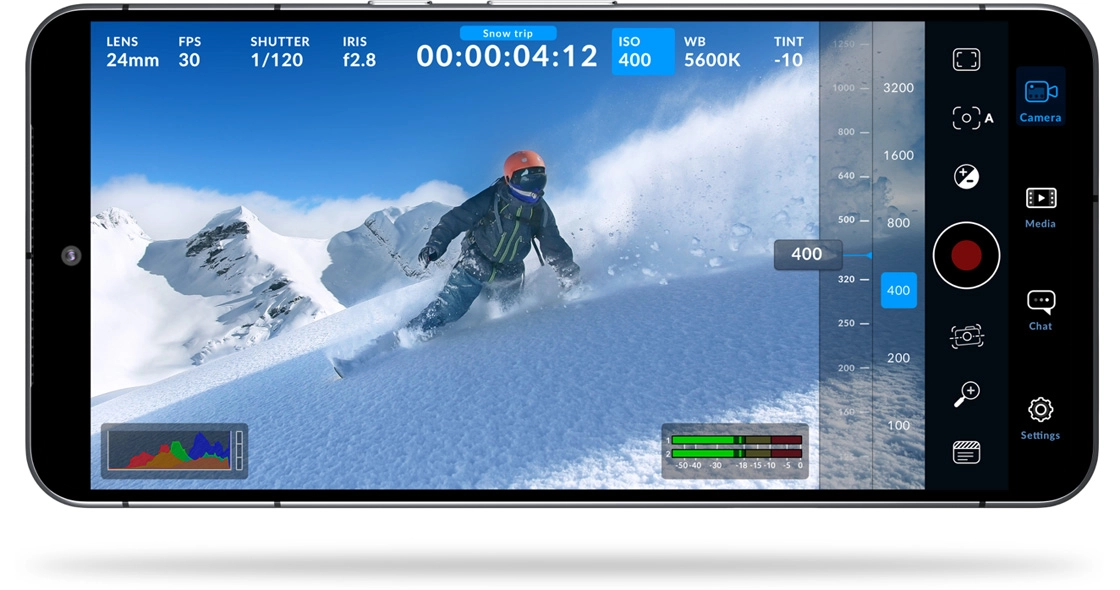
Camera Controls
|
| lens-selection |
Based on device. Selection of front and back lenses.
|
| frame-rates |
Based on device and codec selected.
|
| supported-frame-rates |
24 fps, 25 fps, 30 fps, 48 fps, 50 fps, 60 fps, 120 fps, 240 fps.
|
| off-speed-recording |
4 fps to 60 fps. Off speed recordings will play back at project frame rate.
|
| shutter-speed |
Based on device and frame rate selected. Includes lock on or off. 1/24, 1/25, 1/30, 1/33, 1/48, 1/50, 1/60, 1/96, 1/100, 1/120, 1/125, 1/250, 1/500, 1/1000, 1/2000, 1/4000, 1/8000.
|
| shutter-angle |
Includes lock on or off. 1.1° to 360°. Shutter speed or shutter angle nominated in Camera Settings.
|
| iso |
Based on device and lens selected. ISO 25 to ISO 10666.
|
| white-balance |
Locked, Auto or Manual.
|
| white-balance-presets |
Cloud, Shade, Fluorescent, Incandescent, Daylight.
|
| manual-white-balance |
2500K to 10,000K.
|
| tint-presets |
Auto and manual selections with lock based on device. Cloud, Shade, Fluorescent, Incandescent, Daylight.
|
| manual-tint |
-50 to 50.
|
| focus |
Includes auto focus on or off plus tap screen auto focus. Manual control in diopters, range varies from based on model and lens selected.
|
| focus-presets-to-rack-focus |
Three focus settings with variable time for auto rack focus.
|
| exposure |
Based on device and lens selected. +/- 4 stops.
|
| zebra-guides |
On or off, 75% to 100%.
|
| focus-assist-guides |
On or off, 1% to 100%.
|
| screen-guides |
On or off, Thirds, Centre Crosshair, Centre Dot.
|
| frame-guides |
On or off, 9:16, 4:5, 1:1, 4:3, 14:9, 1.85:1, 2:1, 2.35:1, 2.39:1, 2.4:1, aspect ratio guides.
|

 USD
USD AED
AED